


Safety Codes, Permits and Inspections
Know your Codes! Learn about permit requirements. Apply for your permits here!
Welcome to Safety Codes
Inspection Request Changes – Effective August 1, 2026
To better serve residents and contractors, the Town of High River is updating how Safety Codes services are delivered. Please review the following changes:
- Permit Applications: All Building Permits and Subtrade Permits (Plumbing, Electrical, Gas, Private Sewage) must be submitted through our e-permitting system. Learn more about the program on our Submitting Permits Online page.
- Inspection Requests:All inspection requests for Building and Subtrade Permits must be submitted through the “Inspections” tab in the Town of High River Safety Codes Online Portal (CityWide).
- General Inquiries: Complete the Safety Codes Inquiry Form on our website and email it to: permits@highriver.ca
Our Safety Codes team is here to help ensure safe, successful construction in our community.
Using the E-Permitting System
- Access the Online Portal:
Visit the Town of High River Safety Codes online portal (CityWide). Select the tile that matches the type of permit you require. - Create or Log In to Your Account:
New users will need to create an account. Returning users can log in with their existing account. Once logged in, you can start your application. - Provide Details & Upload Documents:
Please enter all required information. Upload any plans, drawings, and other required documents in the correct format (PDF preferred). - Submit Your Application:
Double-check that all details provided within the form are correct, including documents and uploads. Ensure all information provided is accurate and complete before submitting. - Application Review:
The Safety Codes team will review your submission. If anything is missing, you’ll receive a request by email through CityWide for clarification or additional information. - Pay Fees:
Once your application is marked complete, you’ll receive a payment request by email. You can also find it in your portal account by clicking Complete Payment. - Receive Your Permit:
After payment is confirmed, your permit will be issued and emailed. All other documents will be available in the “Letters” section of your Portal Account (documents will not be emailed separately). - Schedule Inspections:
As your project progresses, schedule all required inspections through the Town of High River Safety Codes Online Portal (CityWide) to ensure your project complies with permit requirements.
Inspections:
Effective August 1, 2026, all inspection requests for Building and Subtrade Permits must be submitted through the Town of High River Safety Codes Online Portal (CityWide). To request an inspection, select the Inspections tab, choose the inspection type, and enter your preferred inspection date.
Please note that inspection days have not changed. Building inspections are conducted on Mondays, Wednesdays, and Fridays, while Subtrade inspections (Plumbing, Electrical, Gas, and Private Sewage) continue to take place on Tuesdays and Thursdays.
Supporting Resources:
- Inspection Information – Plumbing, Electrical, Gas, Private Sewage Permits
- Building Inspection Requirements
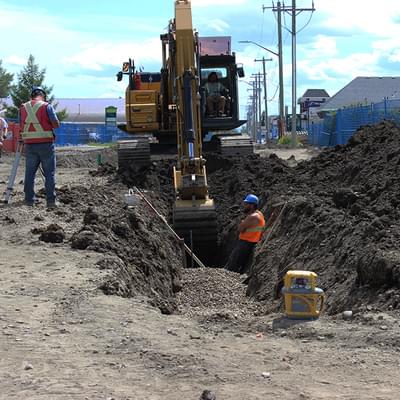
- Information on Trench Inspections, Water Meter Inspections, and additional utility inspections can be found on our Utility Information & Water Meters page.
We're here to help, contact us!

309B Macleod Trail S.W., High River, Alberta

Monday to Friday 8:30am - 4:30pm (Closed on statutory holidays)

permits@highriver.ca

Maps
Report a Concern Do You Need a Building Permit? Building & Construction - Checklists & GuidelinesDo You Need A Building Permit?
The building permit process protects both the owner’s interests and those of the community at large.
Building & Construction - Checklists & Guidelines
Below you will find important documents related to building and construction permits including checklists, brochures and information on building codes.
Demolition Permits, Structure Move-On and Structure Move-Off Permits
A permit is required to demolish or move a building from a site and must be acquired prior to applying for your new building permit.